Why SpecPilot?
Every engineering team loses hours every sprint to the friction between "we built a prototype" and "here are the Jira tickets engineering will actually build." SpecPilot closes that gap — without leaving your editor.
Key Features
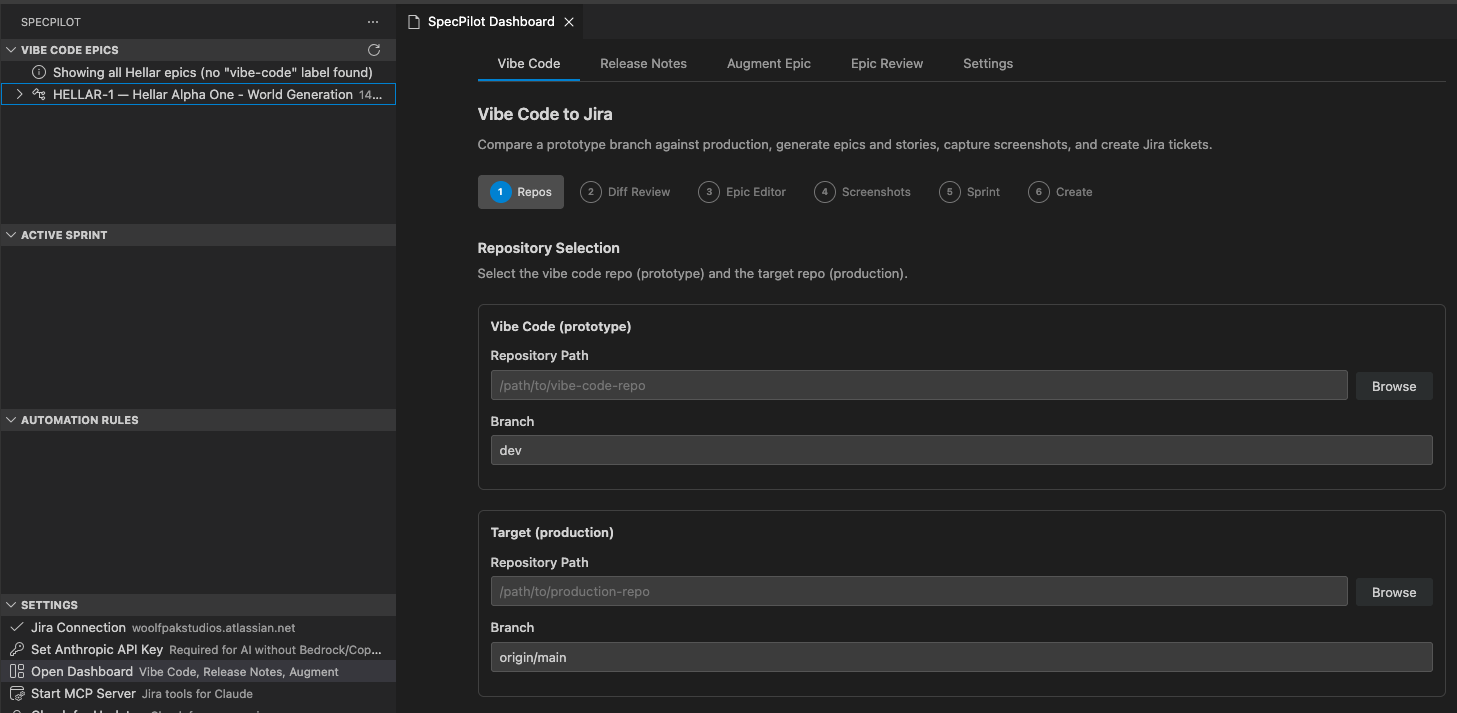
- Vibe Code → Jira — Diff a prototype branch against production, let AI propose epics and stories with acceptance criteria, review and edit inline, then create the tickets with screenshots attached.
- Inline ticket creation — Highlight buggy code, hit
Cmd+Shift+J(orCtrl+Shift+Jon Windows/Linux), get a fully-formed BDD Story or Bug with acceptance criteria. - Customer-facing release notes — Pick a version, AI groups and summarizes your tickets, publish to Confluence and the Jira version description with one click.
- Sprint + automation rules at a glance — See your active sprint and every project automation rule in the sidebar without opening Jira.
- MCP server — Exposes Jira operations to Claude Code and other MCP clients, so your AI assistant can file tickets, draft release notes, or answer sprint questions directly.
- Screenshot augmentation — Add UI screenshots to existing stories via Playwright automation.
Sidebar Views
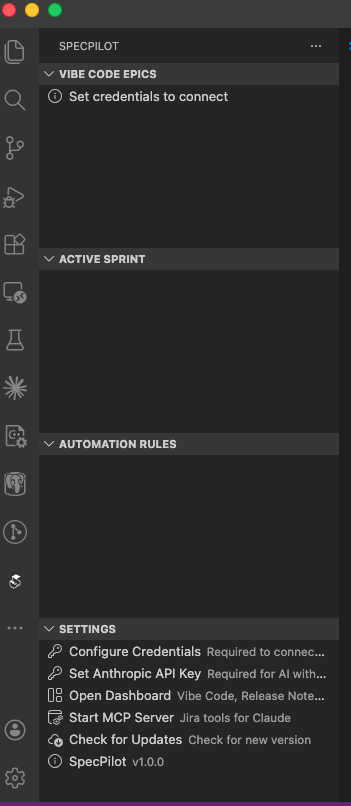
Four tree views under the SpecPilot icon in the activity bar:
- Vibe Code Epics — Epics with your configured label (default
vibe-code), expandable to child stories. - Active Sprint — Current sprint issues grouped by status.
- Automation Rules — Every project automation rule, sorted enabled-first.
- Settings — Credentials, dashboard, MCP server, version info.
Privacy & Requirements
- Requirements: VS Code 1.90+, Jira Cloud with API token. Optional: Anthropic API, AWS Bedrock, or GitHub Copilot for AI features.
- Data privacy: All credentials are stored in VS Code Secret Storage. No telemetry, no third-party tracking.
Get It
Install SpecPilot from the VS Code Marketplace, or search SpecPilot in the Extensions view inside VS Code.
Source code, issues, and contributions welcome on GitHub. Join the discussion on Discord.